Review & Selection

Fair, Defensible Evaluations at Scale

From reviewer assignment to final decision — Reviewr gives you the tools to run structured, unbiased evaulations with full transparency, accountability, and control
Screenshot of an online submission form showing applicant Angie Quinn's personal and academic information, alongside a pop-up table listing submissions by David Rose, Don Draper, and Mary Richards with reviewer statuses and average scores.
check

Eliminate bias with redacted review & randomization

check

Normalize scores across strict and lenient reviewers

check

Structure committee deliberation and consensus

check

Automate shortlisting with defensible criteria

check

Document every decision from review to award

Reviewr Portal

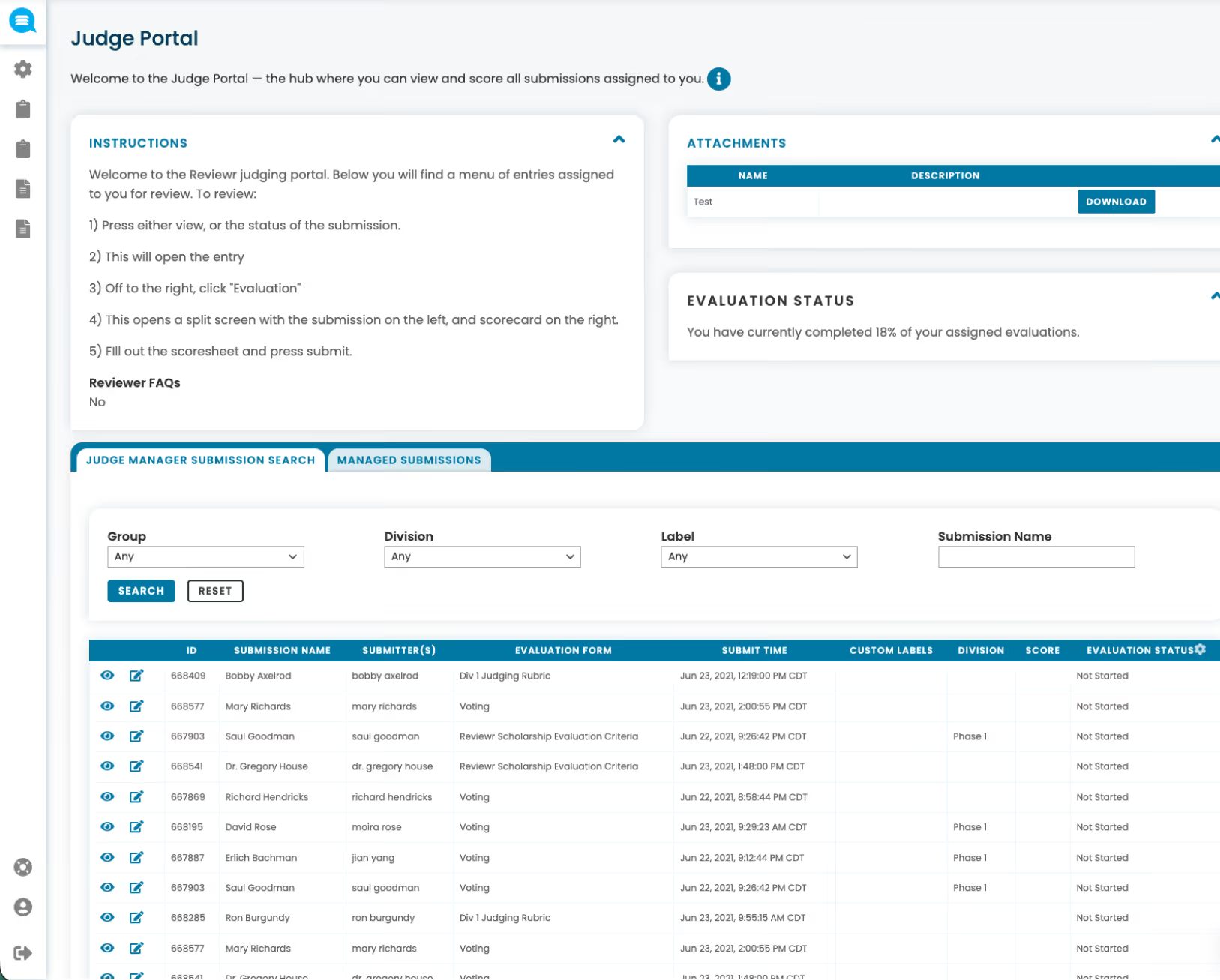
Reviewer Portal with Personal Queues

Each reviewer gets a dedicated portal with their assigned submissions, deadlines, and progress — keeping the experience focused, efficient, and respectful of their time. A better reviewer experience means higher quality reviews and better volunteer retention.
check
Personal queue with only their assigned submissions
check
Clear deadlines and progress tracking per reviewer
check
Submissions displayed in shuffled order to eliminate order bias
check
Side-by-side view of applicant details and scoring rubric
Judge Portal interface showing instructions for reviewers, attachments section with a test file, evaluation status at 18%, and a searchable list of submissions with details like submitter, evaluation form, submit time, custom labels, division, score, and evaluation status.
Assignment

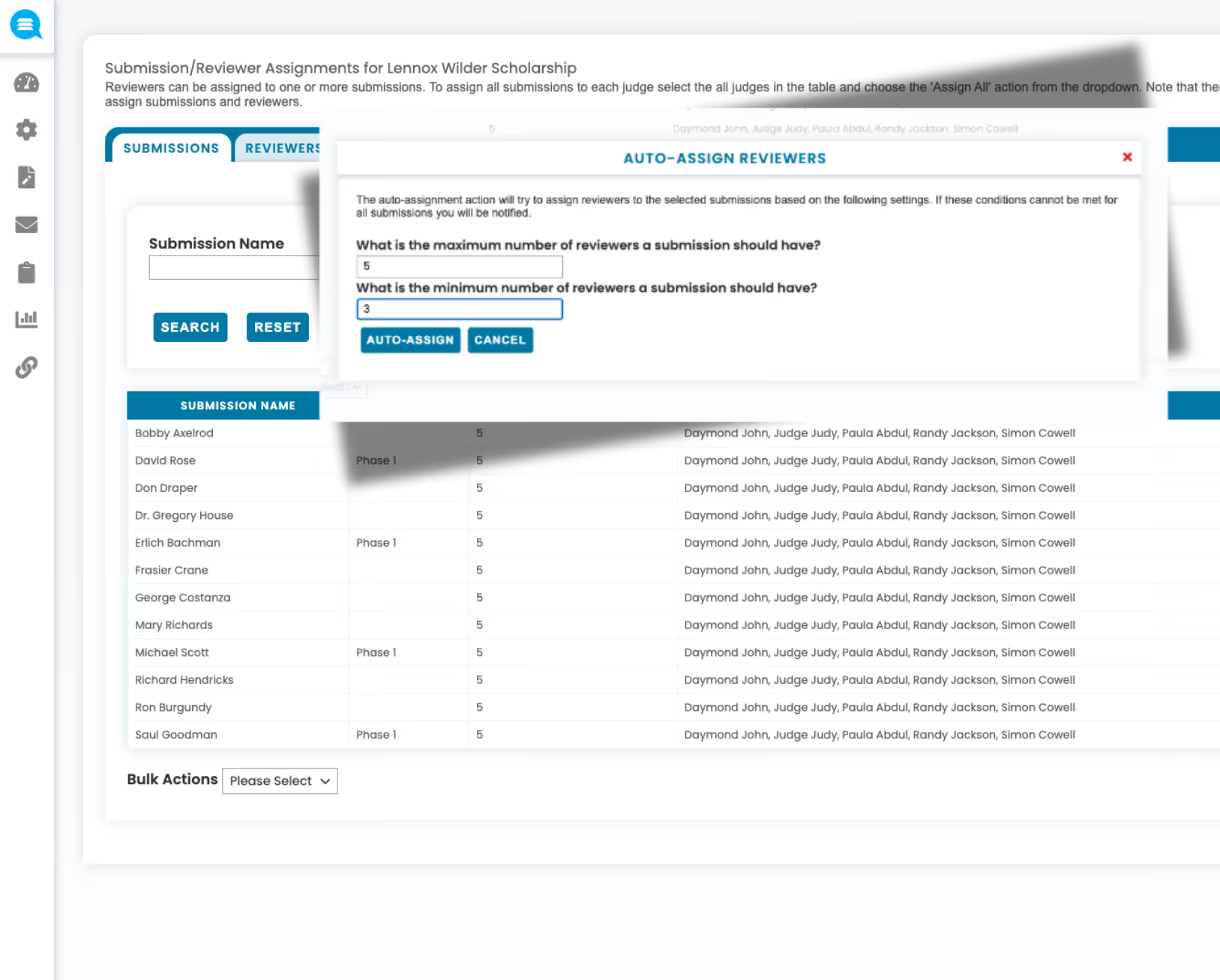
Flexible reviewer assignment

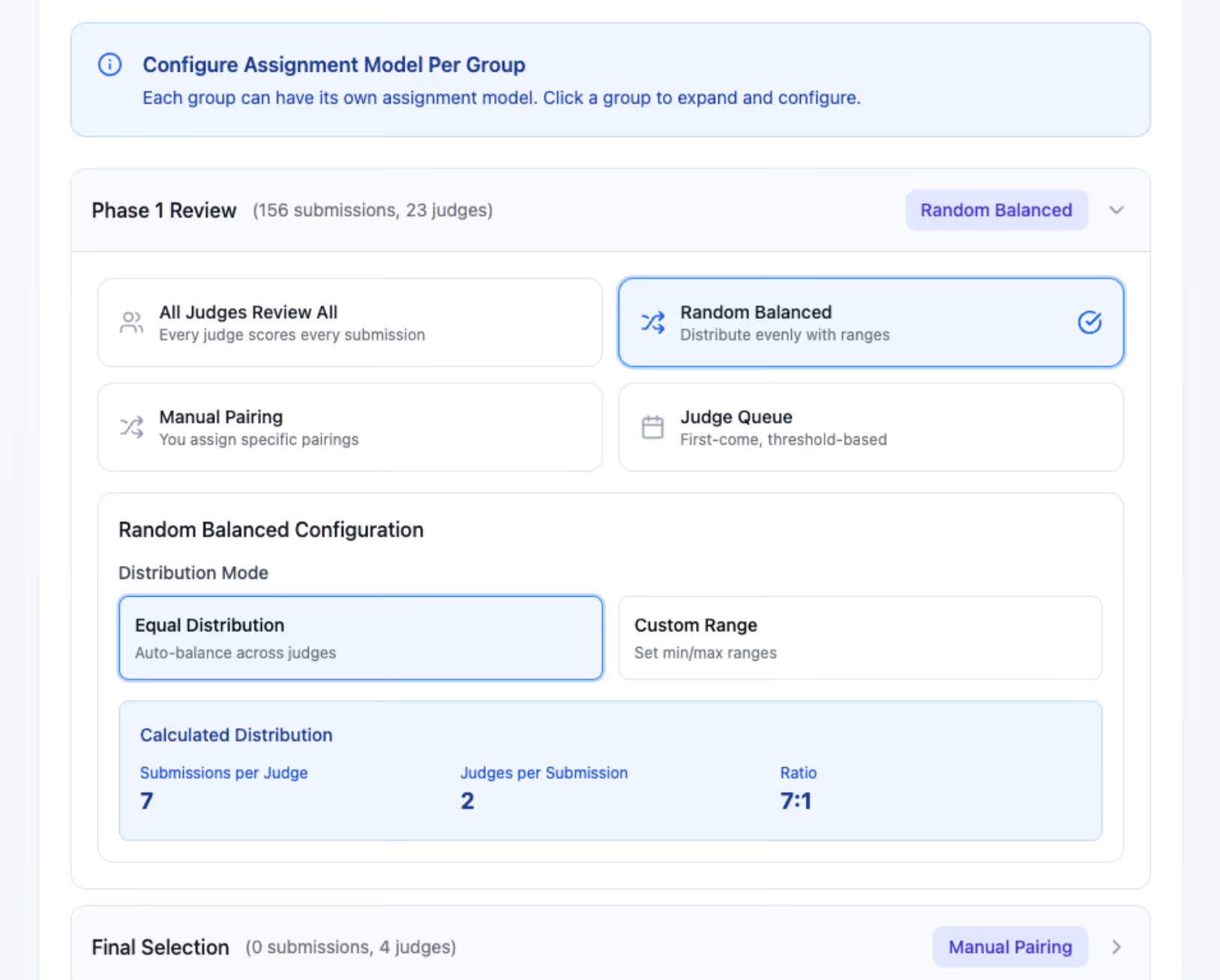
Assign submissions to reviewers with the level of control your program requires — from precise one-to-one pairing to fully randomized distribution across panels.
check
Manual one-to-one pairing for precise control
check
Committee and panel groupings for structured evaluation
check
Randomized assignment to balance workloads and reduce bias
Auto-assign reviewers popup showing settings to select maximum and minimum number of reviewers per submission in a scholarship management interface with a list of submission names and assigned reviewers.
Fairness

Bias prevention and redacted review

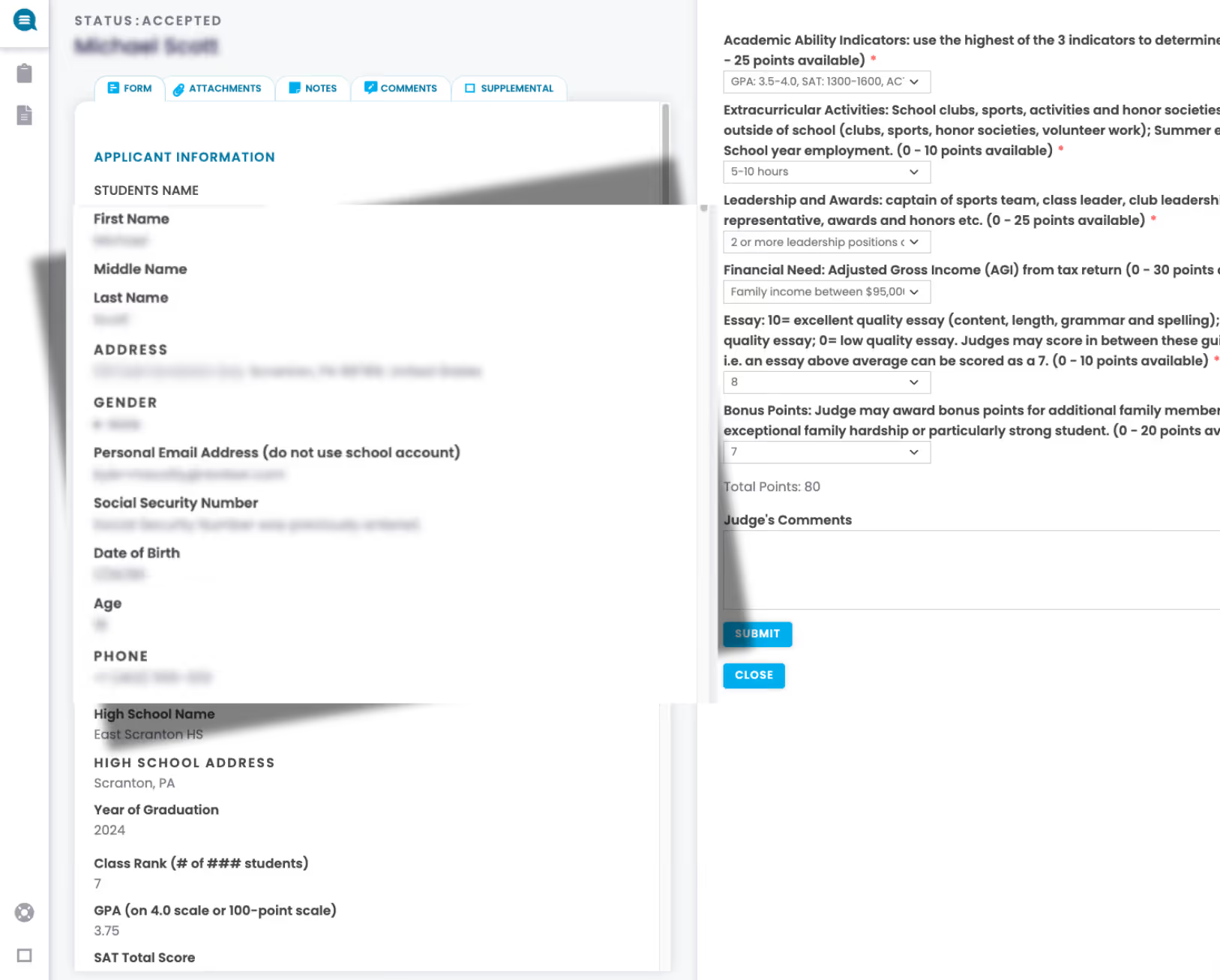
Build fairness into every step of the evaluation process — from how reviewers are assigned to what information they can see.
check
Data redaction hides names, demographics, and identifying details
check
Shuffled submission order eliminates position bias
check
Conflict-of-interest disclosure with automatic enforcement
Online application form for a student named Michael Scott showing applicant information including name, address, gender, email, high school details, GPA, SAT score, and sections on academic ability, extracurricular activities, leadership, financial need, essay score, and bonus points with total points and submission buttons.
Scoring

Structured scoring and evaluation modes

Choose the evaluation method that fits your program — quantitative scoring with weighted rubrics, comparative ranking, or simple recommendation-based decisions.
check
Quantitative scoring with customizable weighted rubrics
check
Ranking-based judging for competitive selection
check
Recommendation-only scoring — advance, hold, or reject
Interface for configuring assignment models per group showing Phase 1 Review with 156 submissions and 23 judges; options include All Judges Review All, Random Balanced (selected), Manual Pairing, and Judge Queue; Random Balanced configuration shows Equal Distribution selected with 7 submissions per judge, 2 judges per submission, and a 7:1 ratio.
Experience

Side-by-side scoring

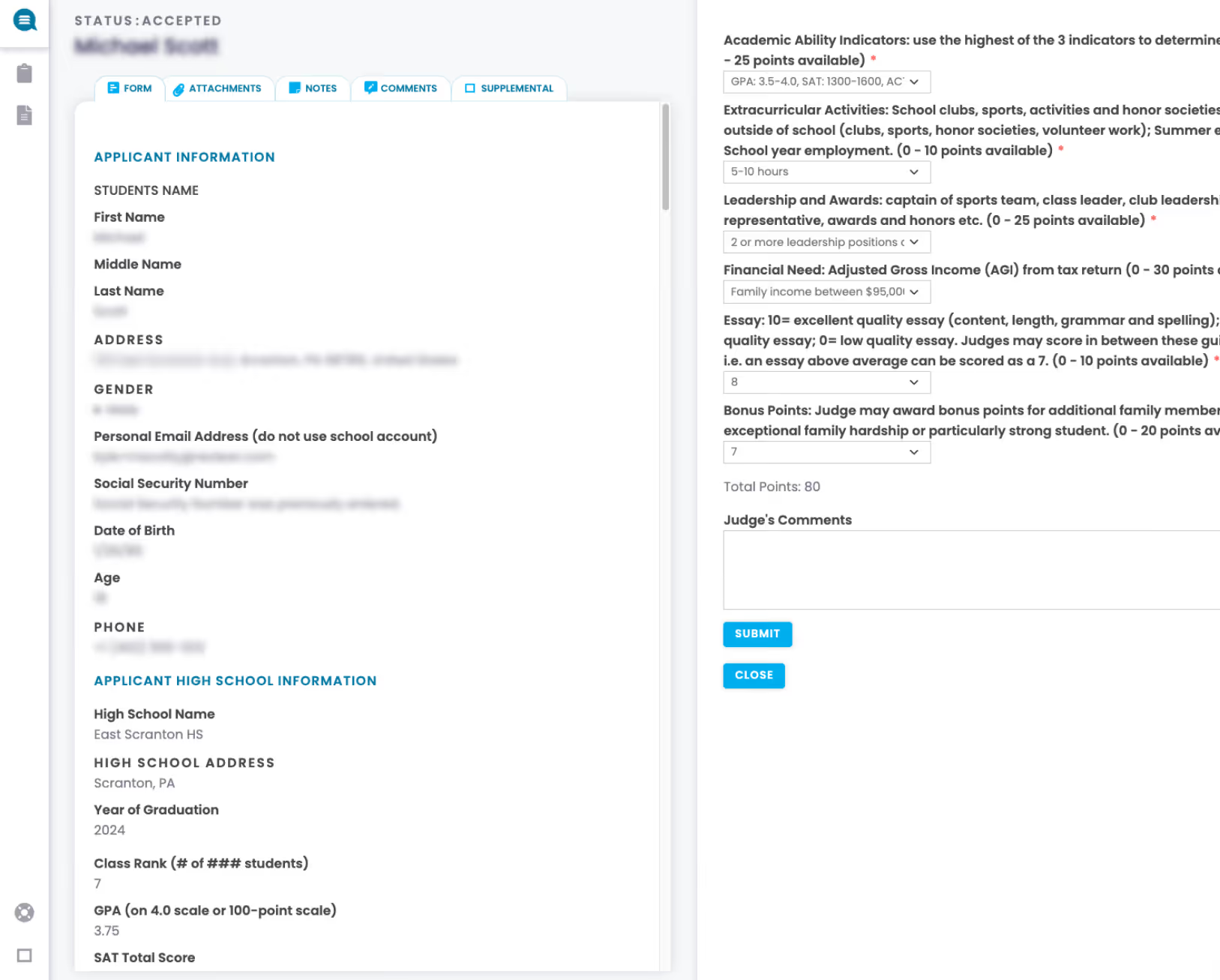
View applicant details including forms, files, and notes side by side with structured scoring rubrics — keeping all context in one place during evaluation.
check
Application and scorecard displayed together — no tab switching
check
Uploaded documents viewable inline alongside the rubric
check
Faster, more informed evaluations with everything in context
College application form with applicant information including name, address, gender, email, social security number, date of birth, and phone; also shows high school details, GPA, SAT score, and a section for academic ability indicators, extracurricular activities, leadership, financial need, essay score, bonus points, and judge's comments with submit and close buttons.
Intelligence

ReviewIQ — score normalization

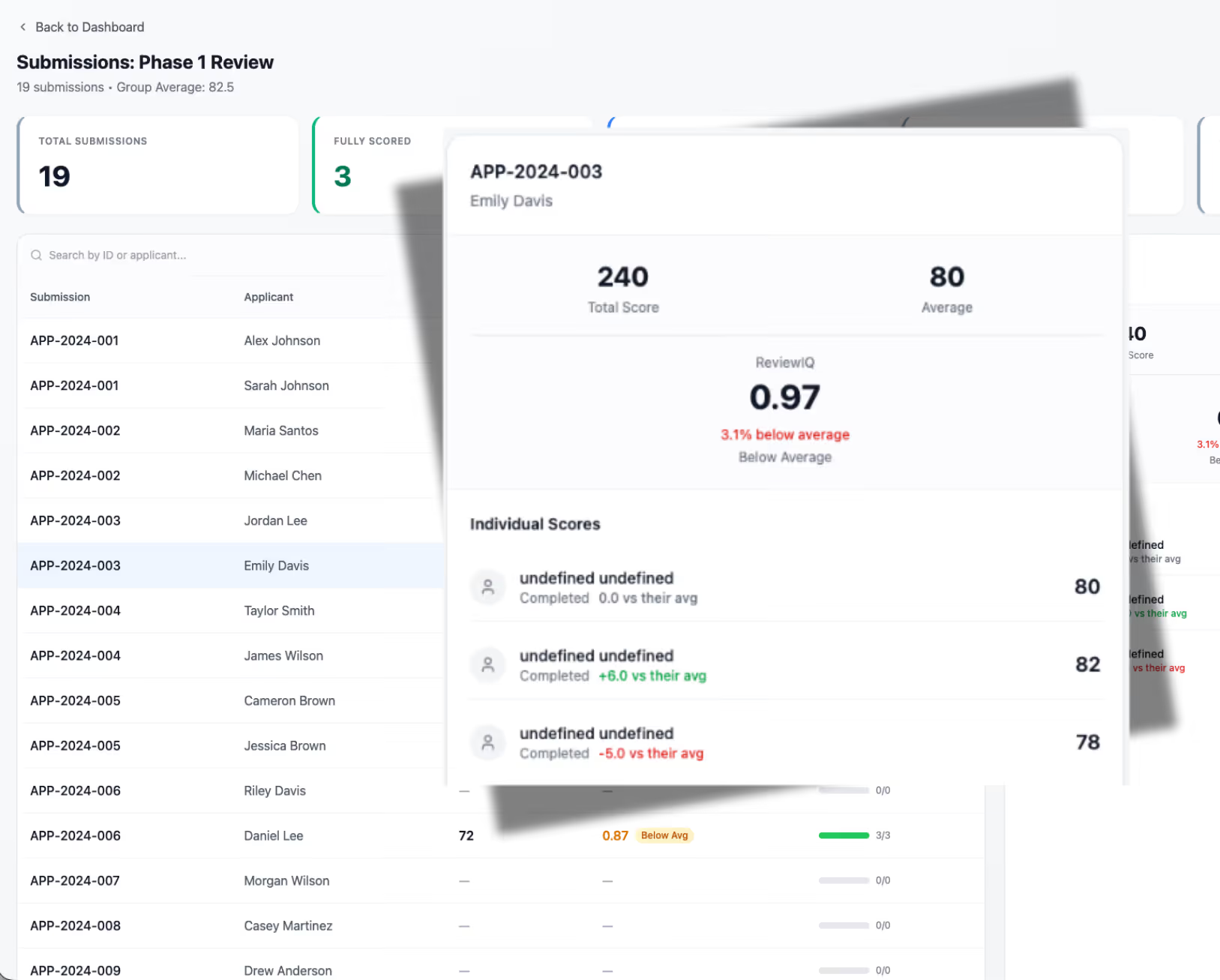
Automatically detect and adjust for strict or lenient scoring patterns across reviewers — leveling the playing field so every submission is evaluated fairly regardless of which reviewer it was assigned to.
check
Identifies strict and lenient scoring tendencies automatically
check
Normalizes scores to account for individual reviewer patterns
check
Ensures fairer outcomes without changing the review process
Phase 1 review dashboard showing 19 total submissions with 3 fully scored, highlighting submission APP-2024-003 by Emily Davis with a total score of 240 and an average of 80, ReviewIQ score of 0.97 below average, and individual scores of 80, 82, and 78.
Decisions

Deliberation, shortlisting, and final decisions

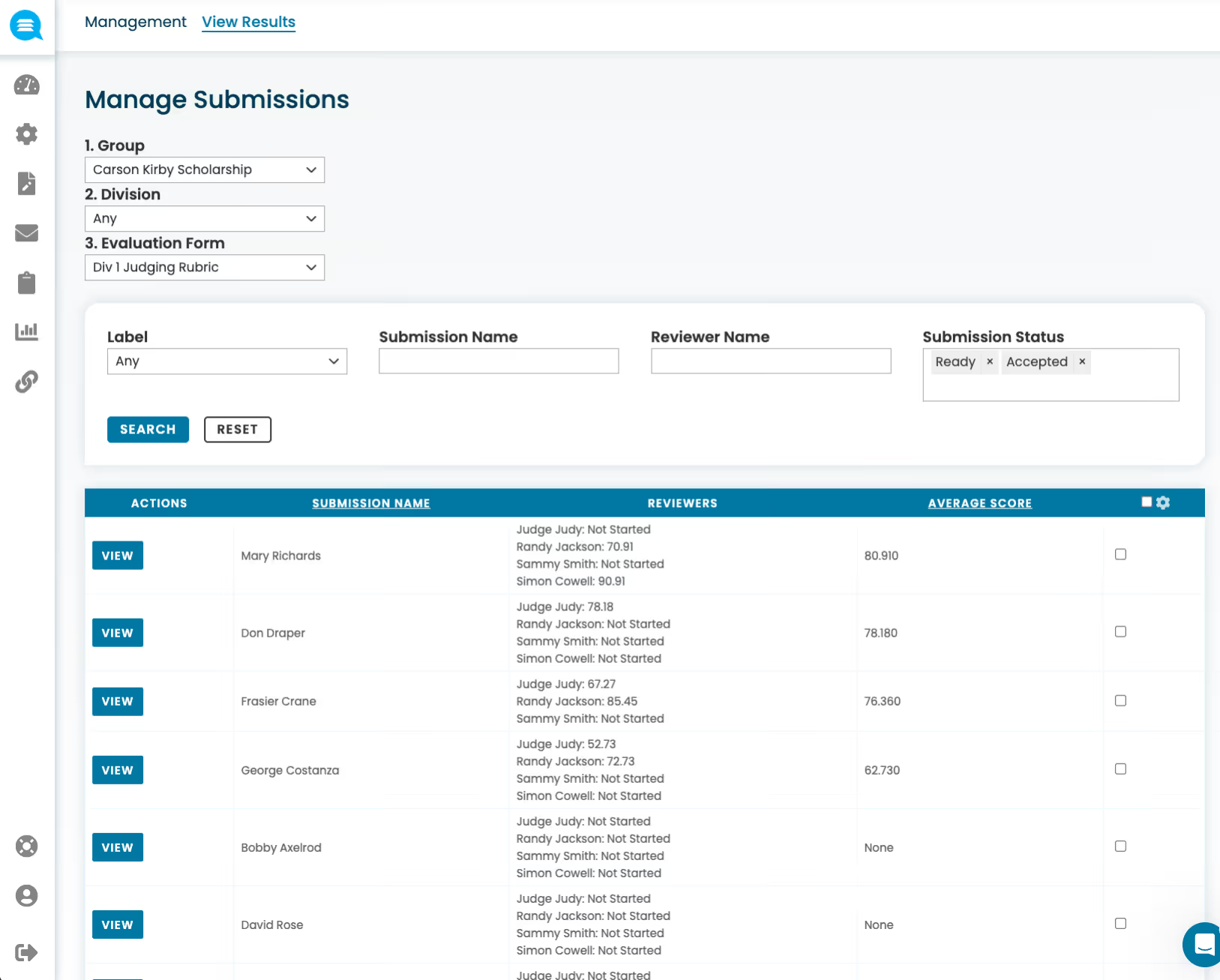
Move from scores to selections with structured deliberation tools, automated shortlisting, and documented final decision workflows.
check
Committee deliberation with shared notes and consensus views
check
Configurable thresholds, cut-lines, and tie-breaking rules
check
Final decision capture with multi-stage approval workflows
Webpage interface for managing scholarship submissions with filters for group, division, and evaluation form, listing names, reviewer scores, and average scores.

More Review & Selection Features

Manual one-to-one pairing

Assign specific submissions to specific reviewers when you need precise control over who evaluates what.

Committee or panel groupings

Organize reviewers into committees or panels to structure evaluation across teams, divisions, or review stages.

Shuffled submission lists

Randomize the order submissions appear for each reviewer, eliminating order bias and ensuring fairer evaluations.

Score calculations and aggregation

Automatically calculate averages, weighted totals, and aggregate scores across reviewers — no manual spreadsheet work needed.

Ranking-based judging modes

Allow reviewers to rank submissions against each other rather than scoring individually — ideal for competitive selection programs.

Final decision capture and approvals

Record final selection decisions with approval workflows, ensuring every award has a documented, defensible path from review to outcome.

See the Platform in Action

Schedule a personalized demo and discover how Reviewr can transform your programs.