Applicant Experience

The Experience Applicants Deserve

A modern, intuitive portal where applicants can apply, track progress, upload documents, and receive decisions — all in one place.
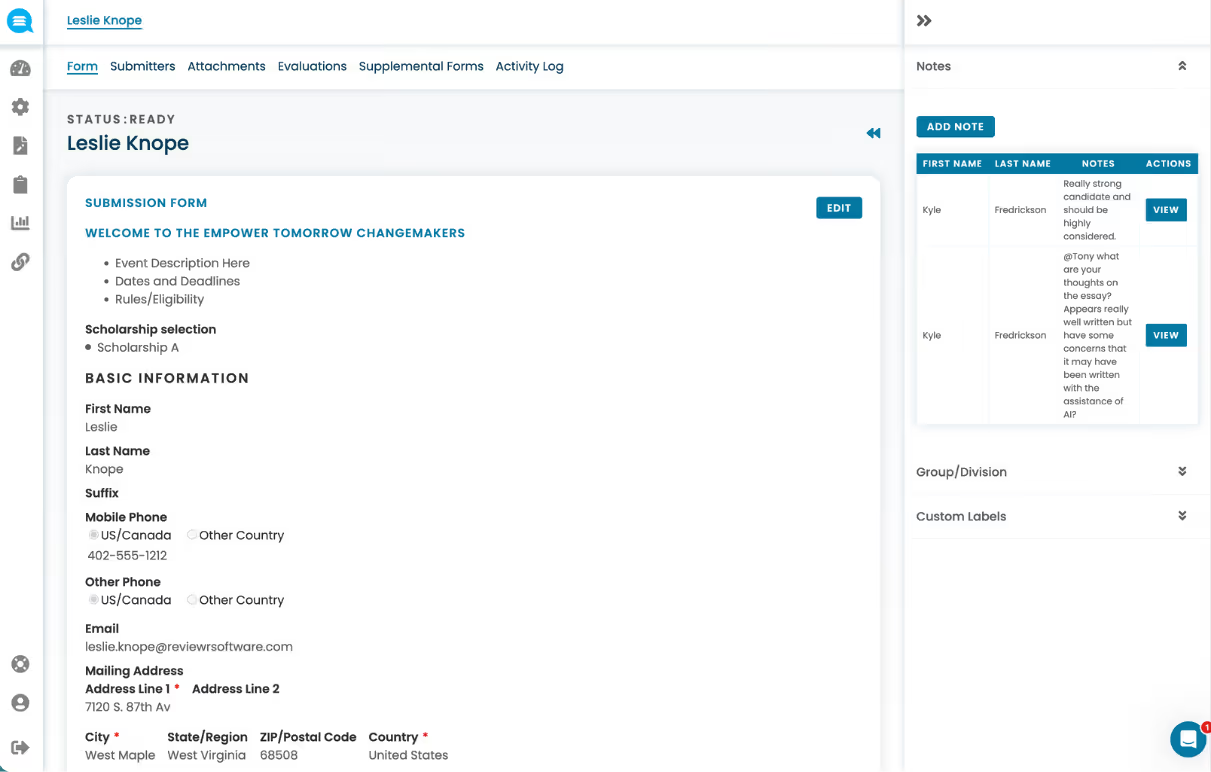
Applicant form for Leslie Knope showing basic information, contact details, scholarship selection, and notes from reviewers.
check

Increase application completion rates

chat_bubble_outline

Reduce applicant support inquiries

description

Collect every deliverable needed for review

gps_fixed

Centralize every applicant record in one place

electric_bolt

Accelerate time to

review-ready submissions

Everything your applicants need

A smooth, accessible application experience — from first click to final decision.

Centralized Applicant Profiles

Every applicant gets a single, unified profile that holds everything — submission details, uploaded files, communication history, scoring results, and any post-selection forms or tasks. No more piecing together information from emails, spreadsheets, and shared drives.
check
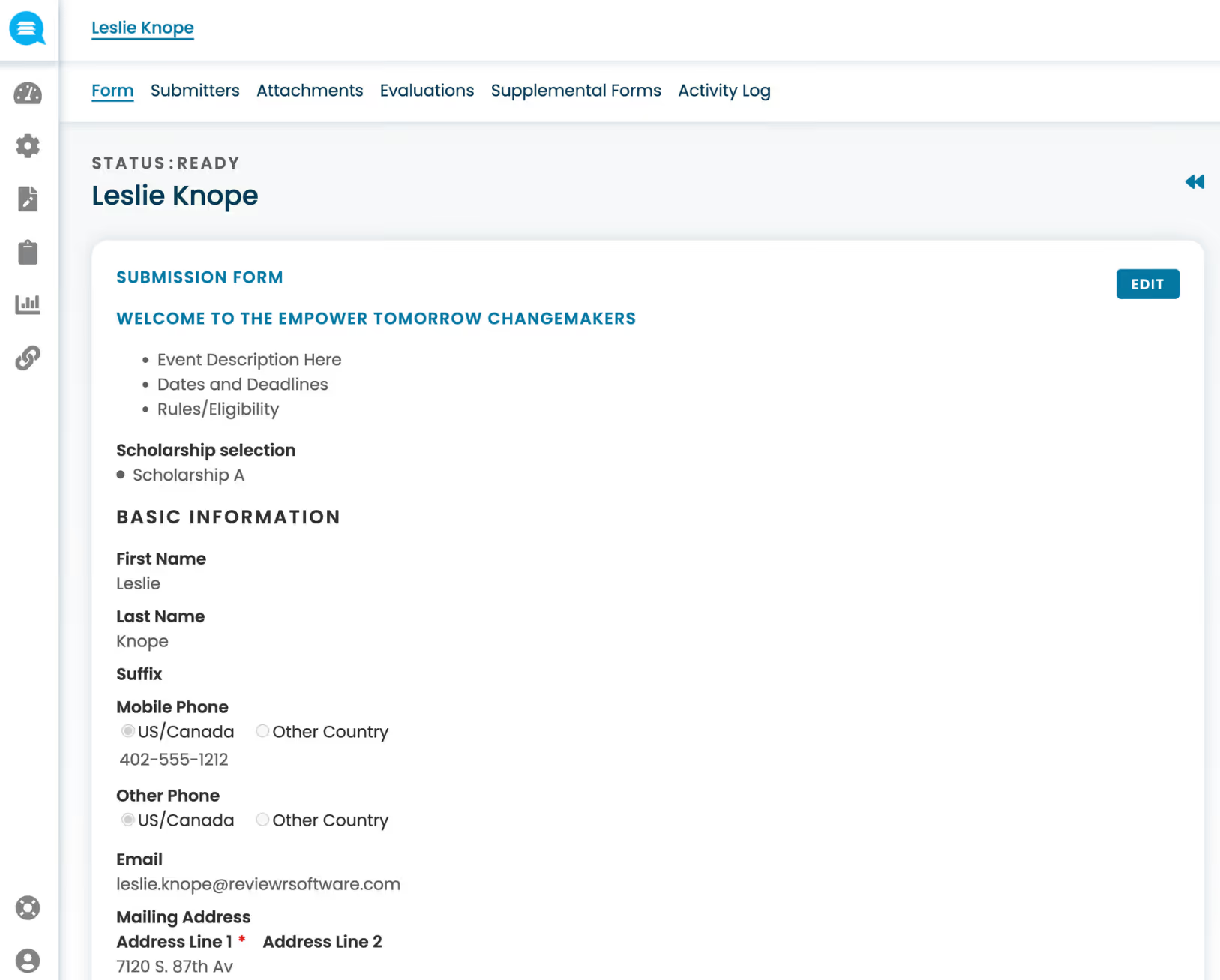
Virtual submission pack with submission details and suppporting materials all in one place.
check
Communication, scoring, and decisions linked to the applicant
check
Full program lifecycle management in a centralized applicant hub
check
Post-selection tasks, forms, and follow-ups tied to the same profile
Screenshot of an online submission form for Leslie Knope with sections for event details, scholarship selection, and basic contact information.
Transparency

View status, tasks, messages, and decisions

Real-time visibility into application progress helps applicants stay informed and engaged while minimizing confusion and follow-up emails.
check
Current status visible at a glance from the applicant dashboard
check
Outstanding tasks and required actions clearly surfaced
check
Messages and decisions delivered directly within the portal
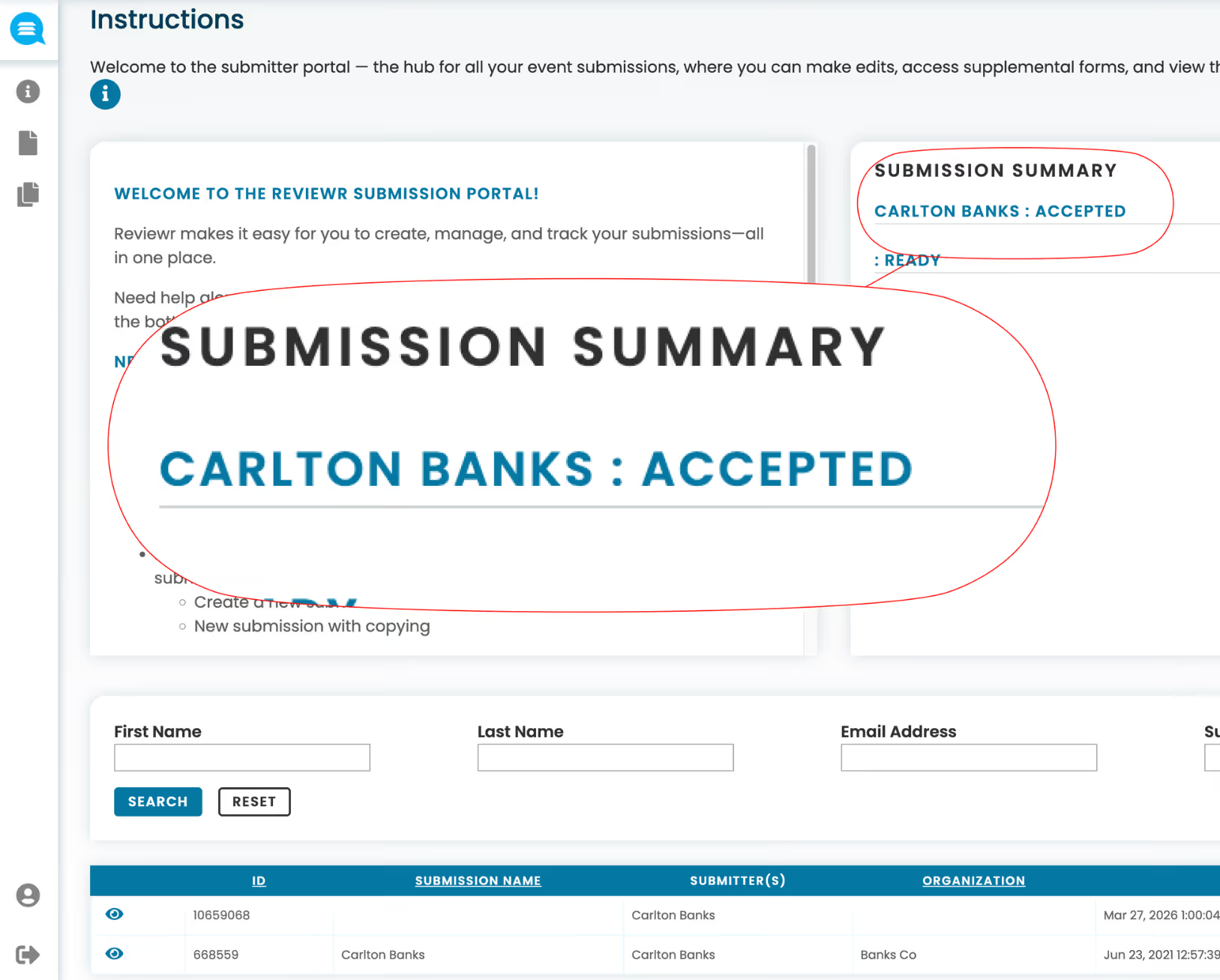
Submission summary showing Carlton Banks accepted in a submitter portal interface with search fields and submission table below.
Completion

Save & return with autosave

Autosave functionality prevents data loss and allows applicants to complete applications over time, increasing submission completion rates.
check
Progress saved automatically — no lost work, ever
check
Log out and return from any device to pick up where you left off
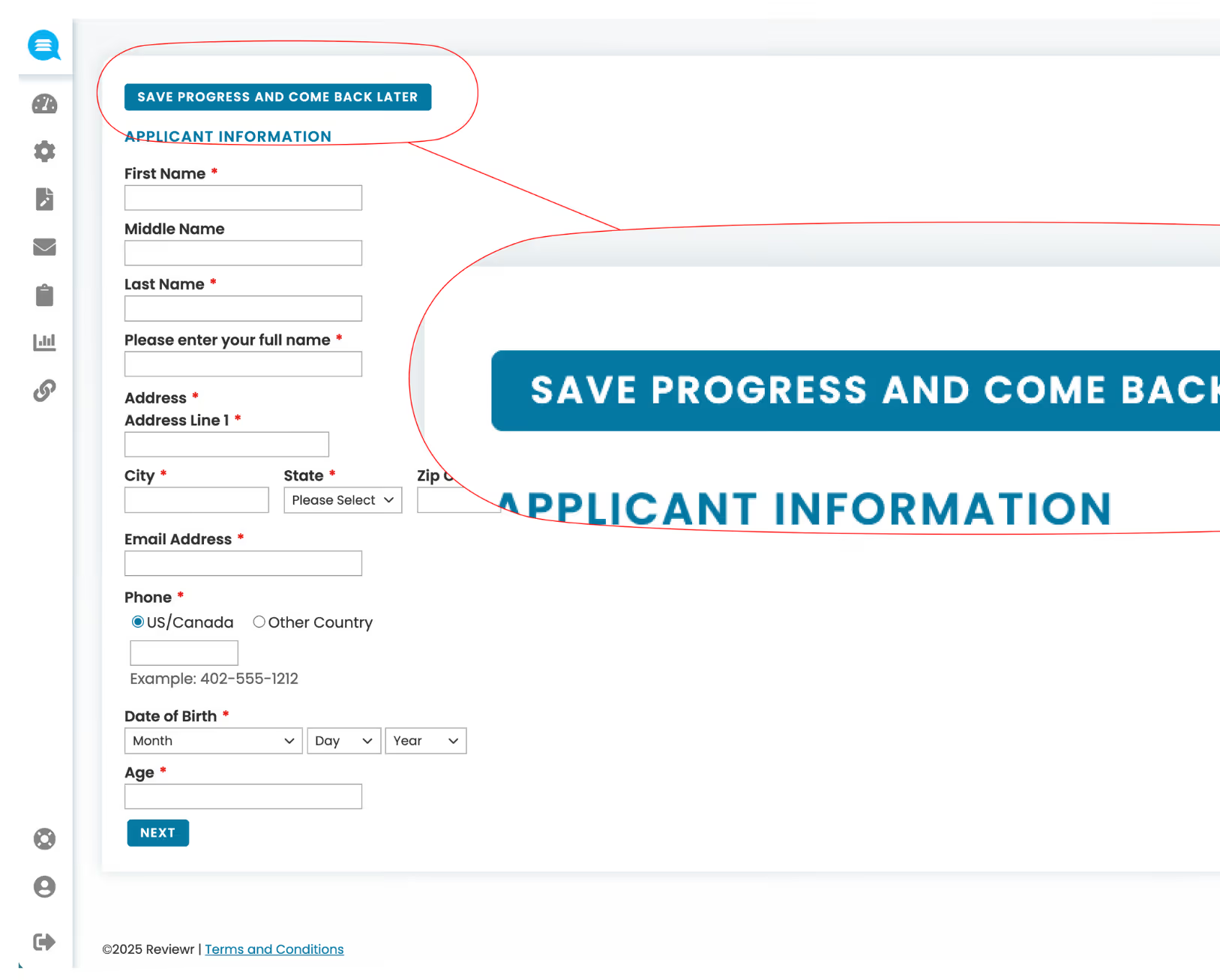
Online applicant information form with fields for name, address, phone, date of birth, and age, plus a blue button labeled Save Progress and Come Back Later.
Guidance

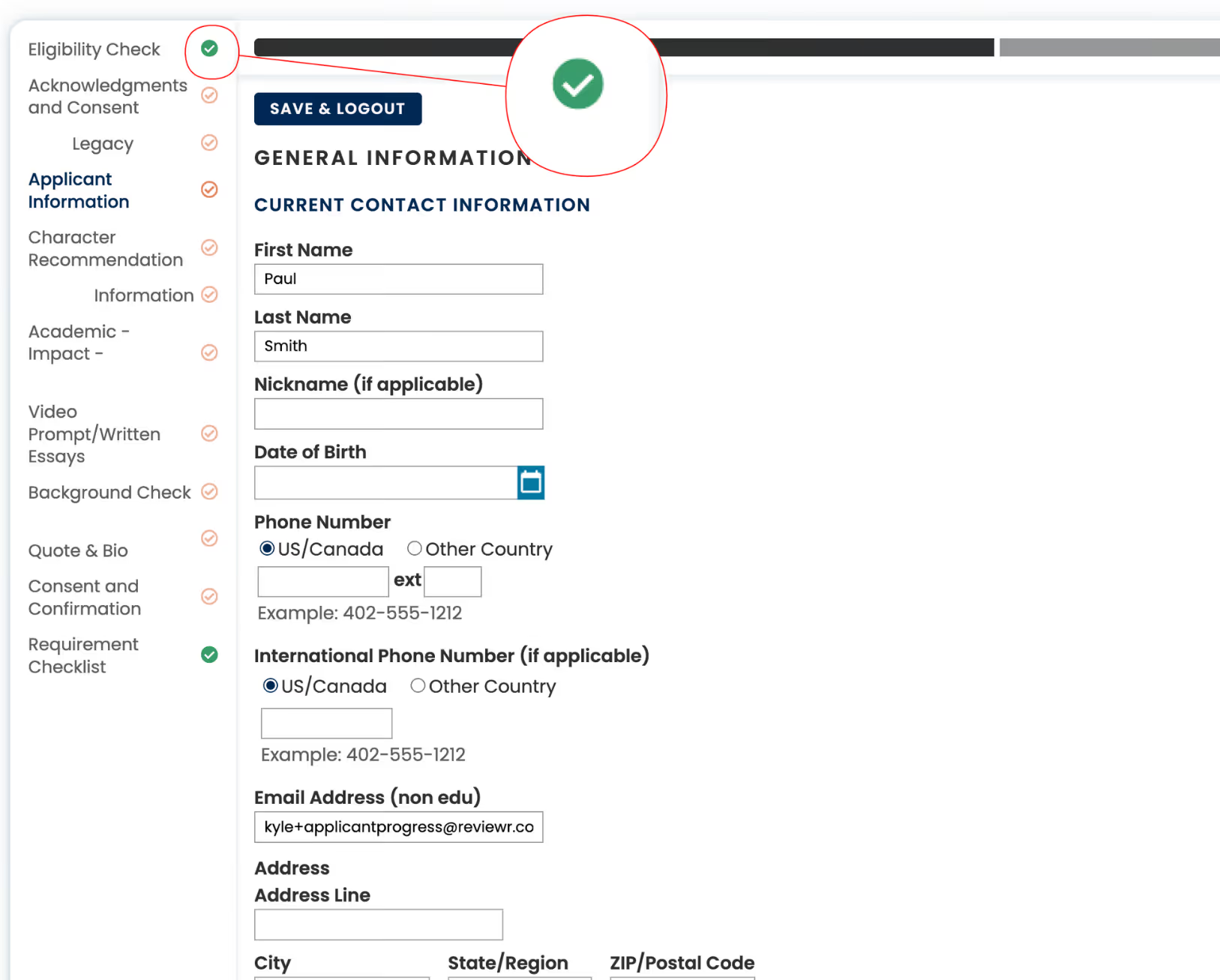
Progress indicators and completion checks

Visual progress tracking and validation checks guide applicants through requirements, reducing incomplete or invalid submissions.
check
Progress bar shows exactly how far along the application is
check
Real-time validation flags errors before submission
check
Completion checks ensure nothing is missed
Online application form displaying general info fields like first name, last name, phone number, and email with a green checkmark indicating eligibility check completion.
Collaboration

Collaborative applications

Applicants can invite collaborators to contribute to shared submissions, enabling team-based or multi-author applications without manual coordination.

check
Co-authors and team members contribute to the same submission
check
Ideal for team grants, group research, or organizational applications
check
Admin visibility into who contributed what
Web interface showing submitter Angie Quinn's accepted status, contact details, editors list including Angie Quinn and Tony Stark, and a note from Kyle Fredrickson requesting Tony to enter details for pages 2-3.
References

Reference & Recommendation Collection

Automate the entire reference process — from sending requests to recommenders, to tracking completion status, to logging submitted letters directly on the applicant's profile.

check
Automated requests sent directly to recommenders
check
Completion tracked in real time on the applicant profile
check
No more chasing references over email
Screenshot of a recommendation letter submission interface showing a list of recommenders Clark Kent and Lois Lane, their email addresses, status as accepted, with detailed form for Clark Kent to upload a letter of recommendation for Angie Quinn.
Documents

Document Management

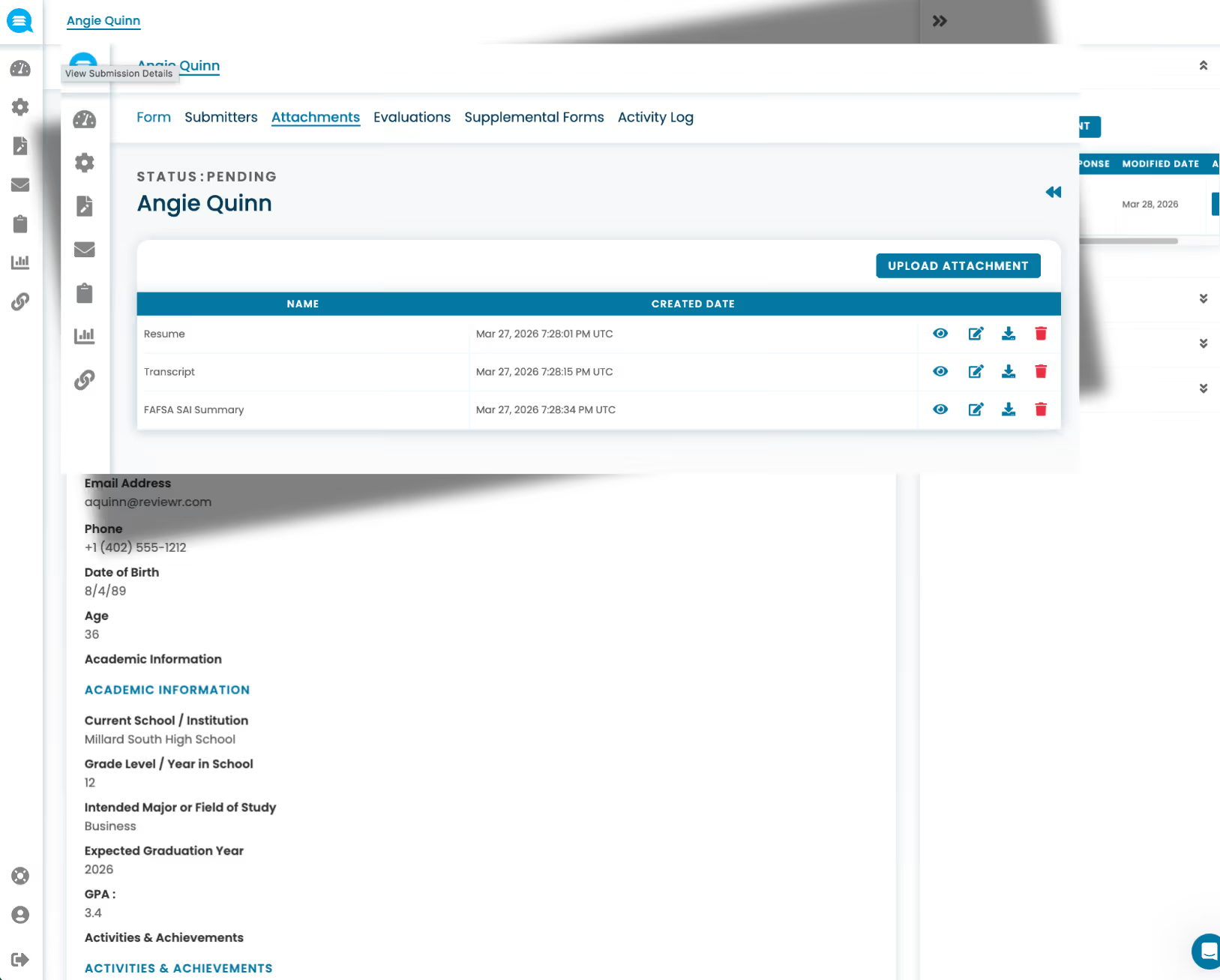
Collect, organize, and view all applicant files directly within the platform. Embedded document viewing lets staff and reviewers access everything side-by-side with the application, without downloading, searching shared drives, or matching files manually.
check
Any file type — collected and linked to the applicant record
check
Embedded viewing — no downloads required
check
Side-by-side view with the application for reviewers
Applicant Angie Quinn's document attachments list showing Resume, Transcript, and FAFSA SAI Summary with upload and action icons, and partial academic and contact details.

Complete Applicant Experience Features

Everything your applicants need for a smooth, accessible application experience.
Single sign-on(SSO)

Connect Reviewr to your organization's identity provider — enabling staff and reviewers to log in securely through existing credentials without managing separate accounts.

Payment processing

Accept application fees and process payments securely through built-in payment provider integrations — no third-party setup required.

API access

Connect Reviewr to your existing systems with API access — enabling custom data flows, syncs, and integrations with your tech stack.

Webhooks and event-based triggers

Push real-time data to external systems whenever key events happen — like a submission received, a review completed, or a decision made — keeping your tools in sync automatically.

Fee waivers & exemptions

Configure waivers based on eligibility criteria — ensuring cost is never a barrier for qualified applicants.

Eligibility screening & pre-qualification

Guide applicants through a quick eligibility check before they begin — saving their time and saving your team from processing unqualified submissions.

See the Platform in Action

Schedule a personalized demo and discover how Reviewr can transform your programs.