Program Operations

Full Program Lifecycle Management

Configure, launch, and manage scholarship, grant, and award programs of any size or complexity — with flexible deadlines, multi-phase workflows, and full submissions management from one platform.
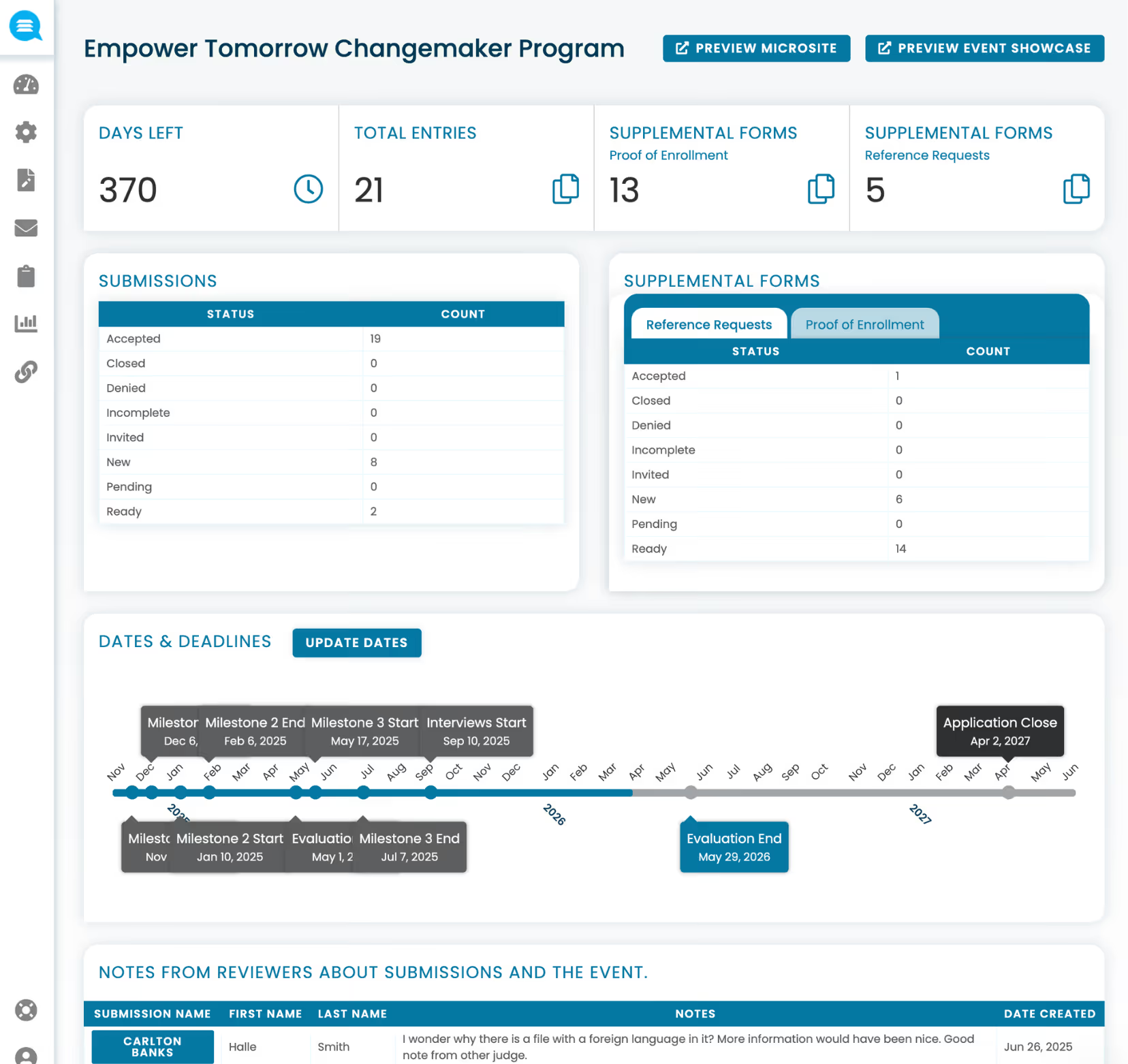
Dashboard for Empower Tomorrow Changemaker Program showing 370 days left, 21 total entries, supplemental forms counts, submission status counts, a timeline of important dates, and reviewer notes on submissions.
language

Manage multiple programs simultaneously

language

Launch new programs in minutes, not months

language

Automate eligibility screening and disqualification

language

Organize submissions by category, region or cohort

language

Full control over submissions, edits, and statuses

Multi-program management

Run multiple programs simultaneously

Run multiple programs simultaneously from a single account — each with its own forms, timelines, review teams, and settings — without duplicating effort or losing oversight across your portfolio.

check
Every program configured independently with its own workflows
check
Cross-program visibility from a single dashboard
check
Staff permissions scoped to specific programs or across all
check
Applicant profiles persist across programs for returning applicants
Dashboard for Empower Tomorrow Changemaker Program showing 370 days left, 21 total entries, supplemental forms counts, submission status counts, a timeline of important dates, and reviewer notes on submissions.
Flexibility

Choose your deadline approach

Fixed deadlines, rolling, and always-open programs. Run programs on your schedule — whether it's a single deadline, rolling admissions, or an always-open intake — all from the same flexible configuration.
check
Fixed deadline with automatic open and close
check
Rolling intake that accepts submissions continuously
check
Always-open programs for ongoing collection
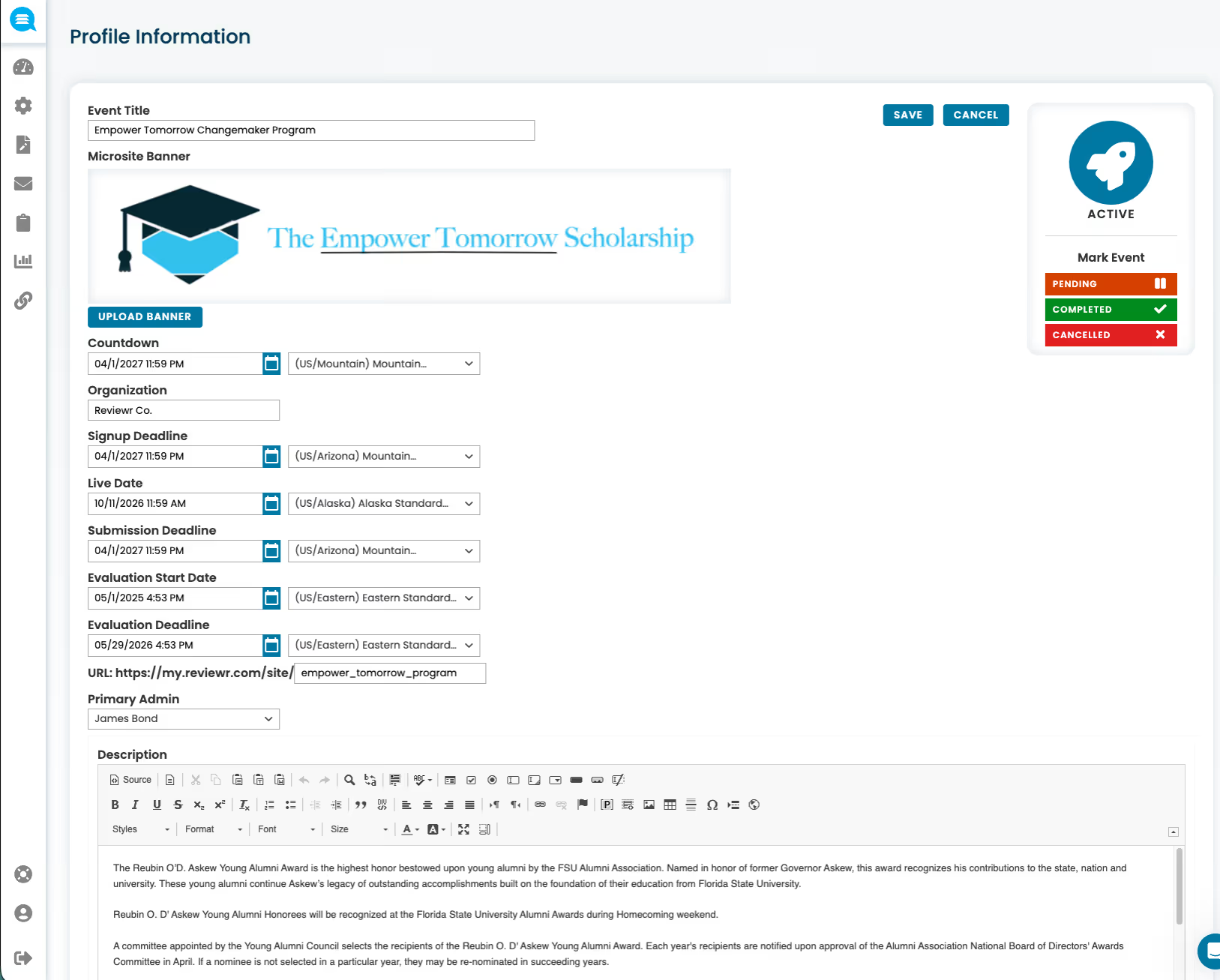
Event profile page for Empower Tomorrow Changemaker Program with fields for event title, organization, countdown, signup deadline, live date, submission deadline, evaluation dates, primary admin, description, and event status marked active.
Workflow

Multi-phase / multi-round programs

Programs can progress through structured phases such as applications, reviews, interviews, and follow-ups within a single system.
check
Define as many phases as your process requires
check
Move submissions between rounds manually or automatically
check
Different reviewers, scorecards, and criteria per phase
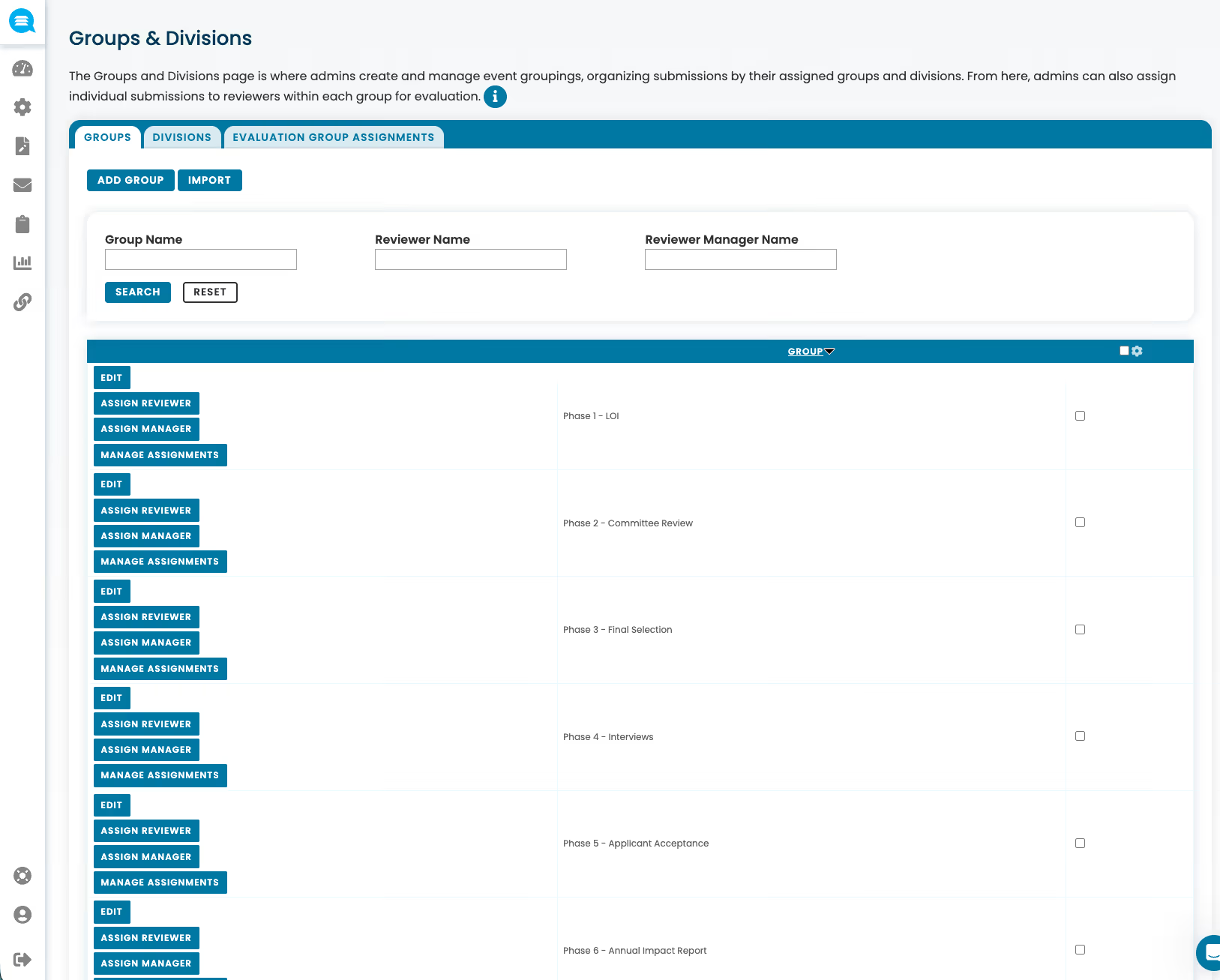
User interface screen showing Groups & Divisions management page with tabs for Groups, Divisions, and Evaluation Group Assignments, including buttons for adding and importing groups and options to edit, assign reviewer and manager, and manage assignments for different event phases.
Launch

Program launch, templates, and archiving

Launch new programs fast with self-guided setup, industry-proven templates built on best practices, and the ability to clone and archive programs year over year — so you're never starting from scratch.
check
Self-guided program setup with step-by-step configuration
check
Industry-proven templates for scholarships, grants, and awards
check
Clone and archive programs for year-over-year consistency
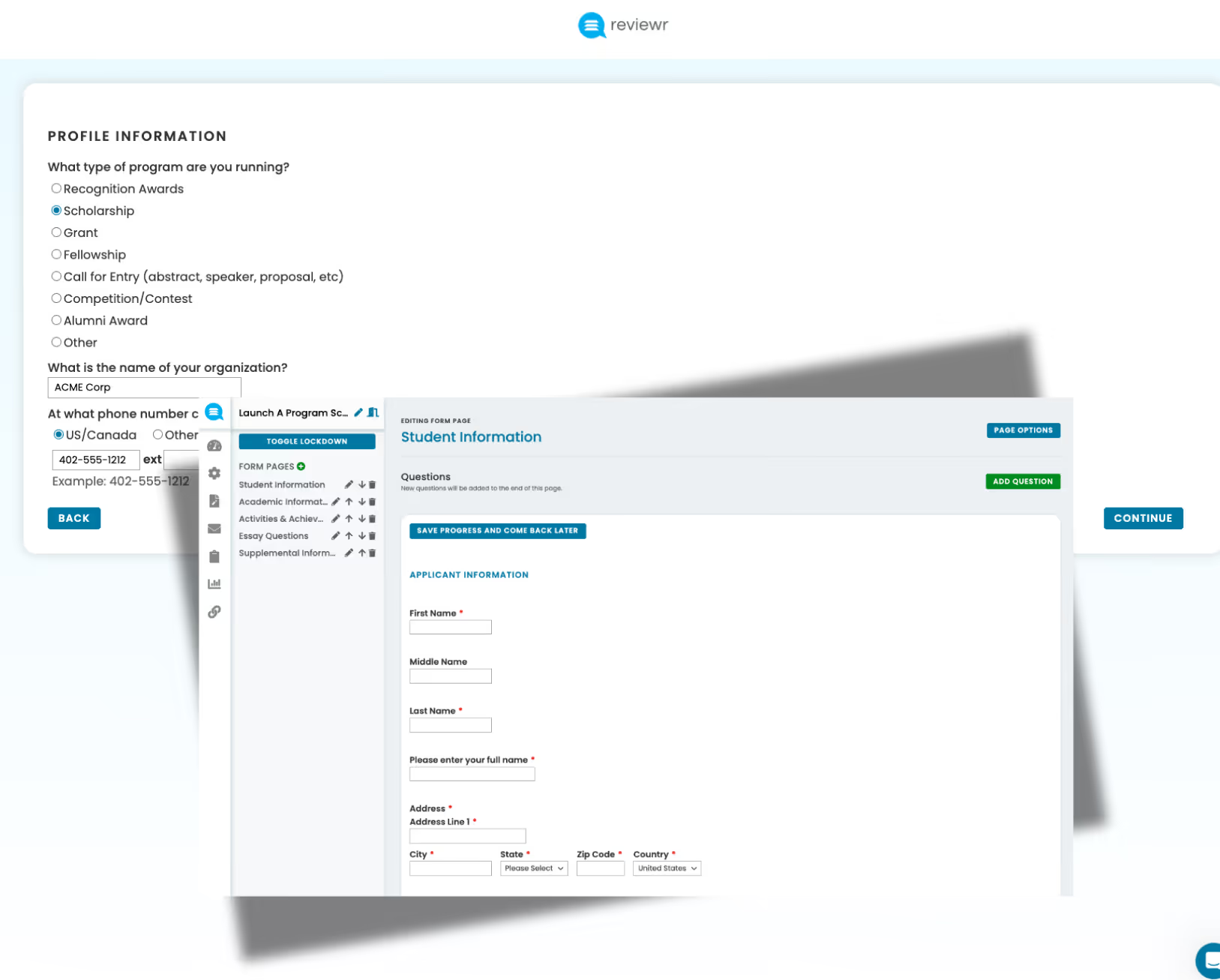
Reviewr dashboard screenshot showing profile information form with scholarship selected, organization name input, phone number options, and student information form with fields for name and address.
Organization

Submission categorization and groupings

Organize submissions into meaningful groupings — by category, division, region, or cohort — to ensure fair comparisons and support complex program structures. Create custom groups and automatically assign submissions based on form logic.

check
Group by category, division, region, cohort, or custom criteria
check
Auto-assign submissions to groups based on form responses
check
Category-specific eligibility rules, forms, and scoring criteria
Scholarship management interface showing groups with options to edit, assign reviewers, assign managers, and manage assignments for Bobbie Gatsby, Brooke Marlow, and Carson Kirby scholarships.
Screening

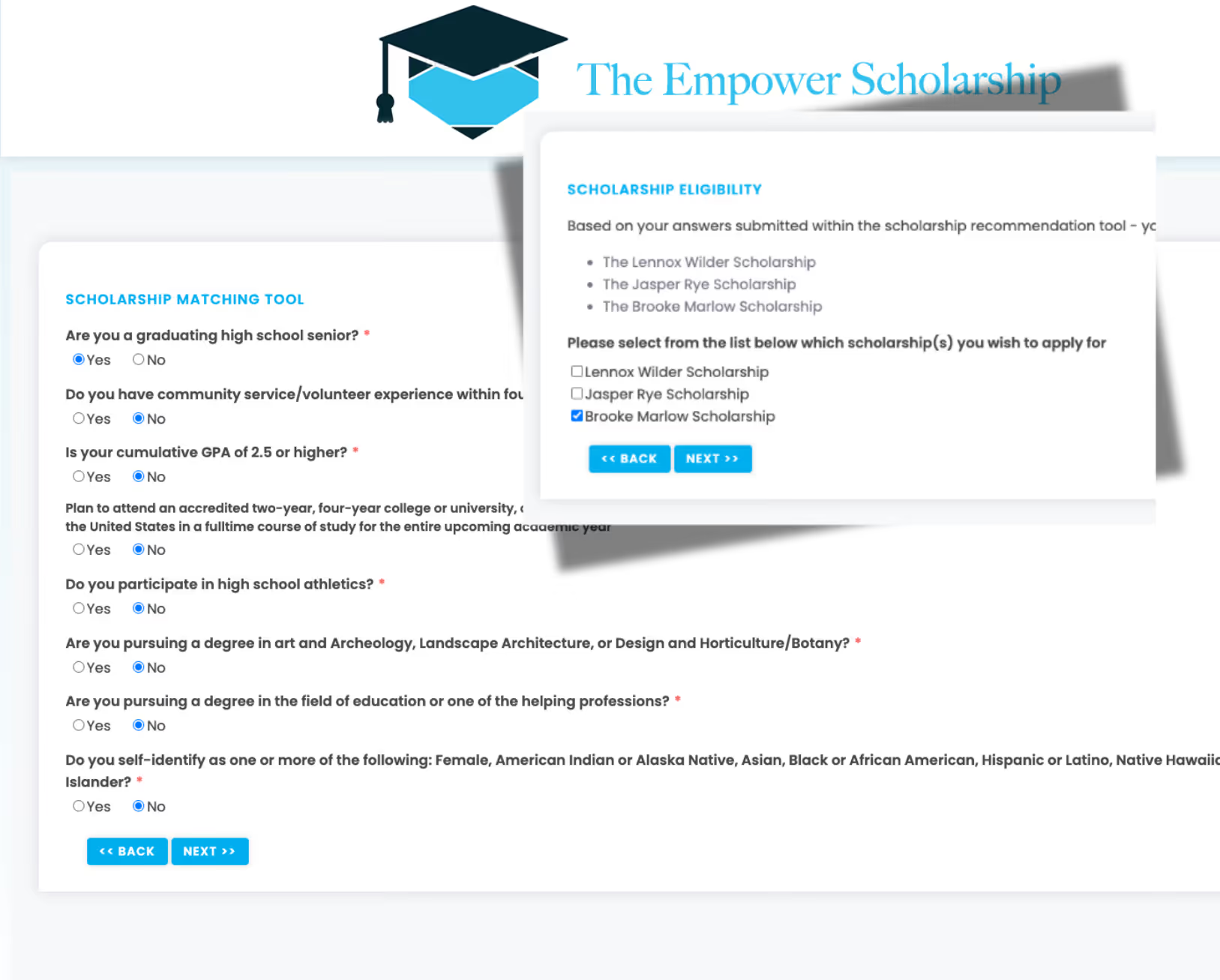
Eligibility quizzes and automated disqualification

Logic-driven eligibility checks ensure only qualified applicants proceed, reducing review volume and administrative overhead.Logic-driven eligibility checks ensure only qualified applicants proceed, reducing review volume and administrative overhead.
check
Pre-application eligibility quizzes screen before they apply
check
Automated disqualification rules based on configurable criteria
check
Fewer unqualified submissions reaching your review team
Scholarship Matching Tool form with questions about high school senior status, community service, GPA, college plans, athletics, degree pursuit, and ethnicity, alongside a Scholarship Eligibility section listing three scholarships and options to select one for application.
Control

Submissions management

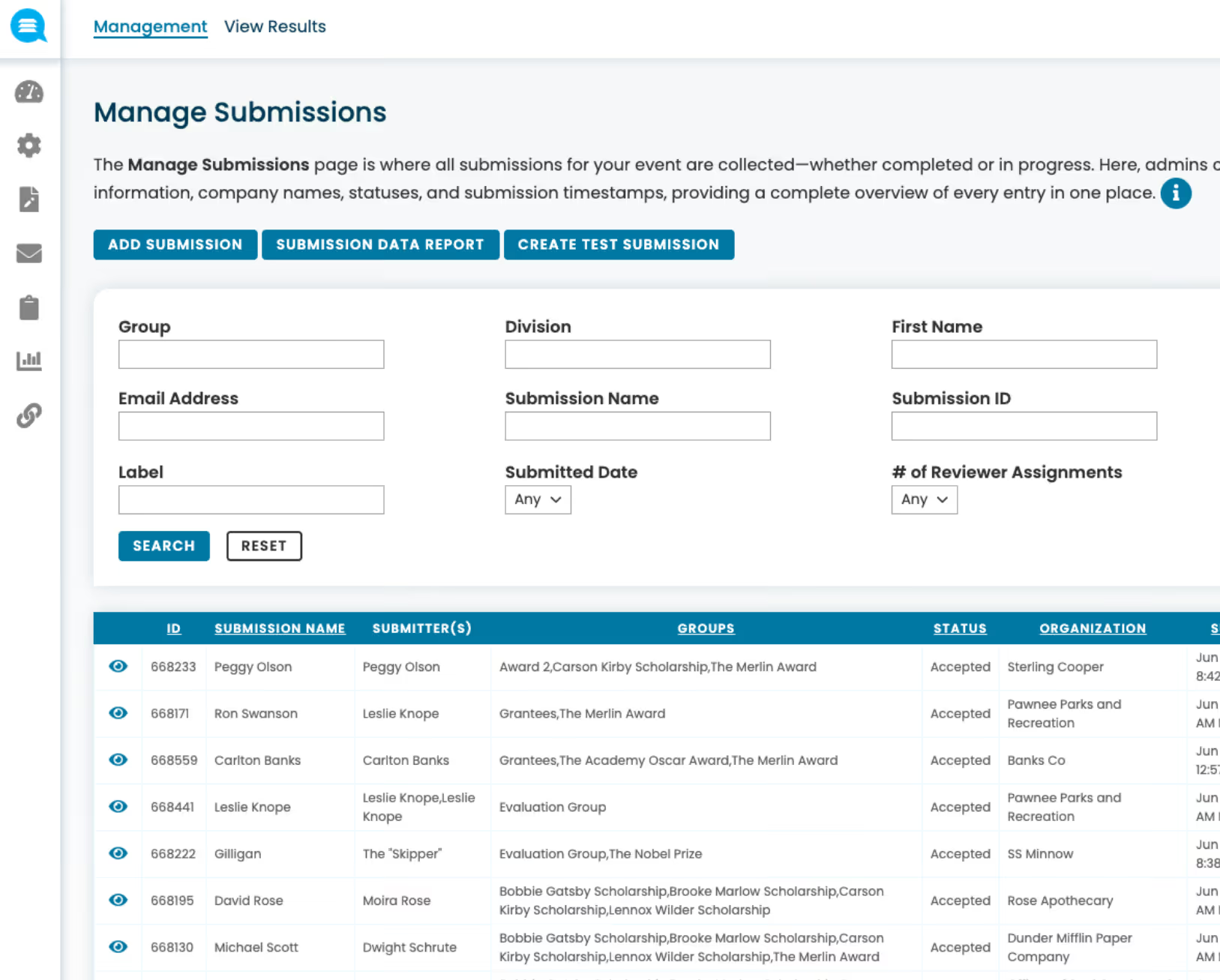
Access complete applicant details and supporting materials in one place — with the ability to make administrative edits, grant applicants permission to revise their submissions, and manage statuses across every stage of the process.
check
View and manage all submission details and documents
check
Admin edits and controlled overrides for real-world exceptions
check
Grant applicants permission to revise after submission
Manage Submissions page showing filters for group, division, first name, email, submission name and ID, label, submitted date, and reviewer assignments, plus a table listing submissions with columns for ID, submission name, submitter(s), groups, status, and organization.

Complete Program Operations Features

Everything you need to launch, manage, and scale complex programs efficiently.
Supplemental forms

Collect additional information at any point — reference requests, transcript uploads, acceptance confirmations, impact reports, disbursement forms, and more — triggered automatically or on demand.

Post-selection and follow-up forms

Collect acceptance confirmations, reports, or compliance documents after selection without external tools — all linked to the original applicant record.

Category-specific requirements

Each category can have its own eligibility rules, forms, and scoring criteria — eliminating one-size-fits-all limitations for complex program structures.

See the Platform in Action

Schedule a personalized demo and discover how Reviewr can transform your programs.